Paper chaos
Timesheets come back late, incomplete or not at all. Anyone who can no longer remember Monday by Friday makes a guess.
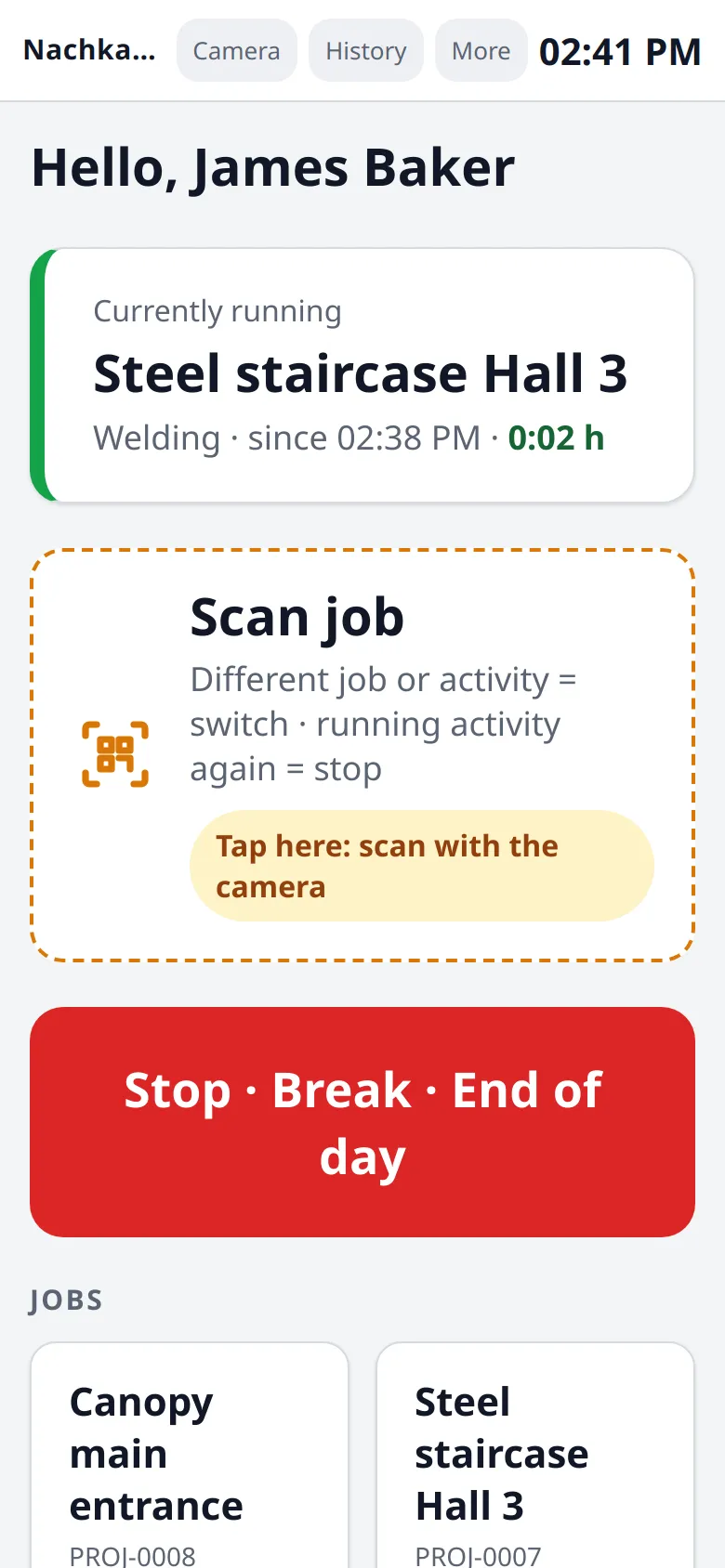
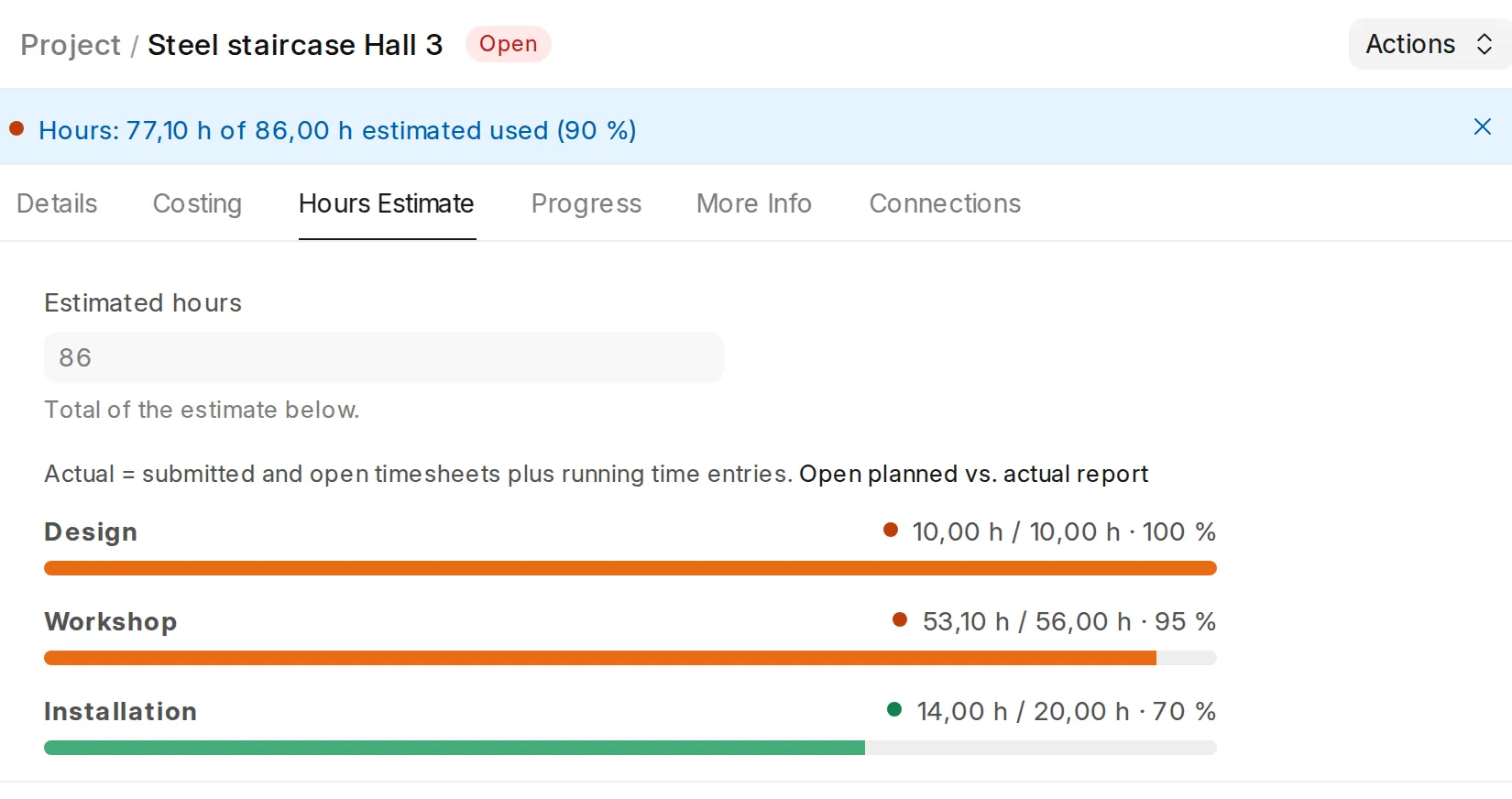
Your team clocks onto the job with a scan, on a phone on site or on a tablet in the workshop. Nobody in the office types up timesheets any more, and you see live on each project how many of the estimated hours have been used. We set everything up in 30 days and support you for three months.
Built on ERPNext, the open-source ERP. Quotes, purchasing, stock and invoicing can follow later.
The problem
Monday in the office: last week’s timesheets are on the desk, some illegible, some missing. Then the typing starts.
Timesheets come back late, incomplete or not at all. Anyone who can no longer remember Monday by Friday makes a guess.
Every hour is copied into the system by hand. That costs time every week, and every typo ends up on the invoice.
Whether a job stays on budget only shows after the final invoice. By then nothing can be changed, and the next estimate is based on gut feeling again.
The solution
At the machine, at the welding bay, on site. With Nachkalkulation Plus, our own app for ERPNext, you save time in the office and see early where a job is costing you money.
Save time
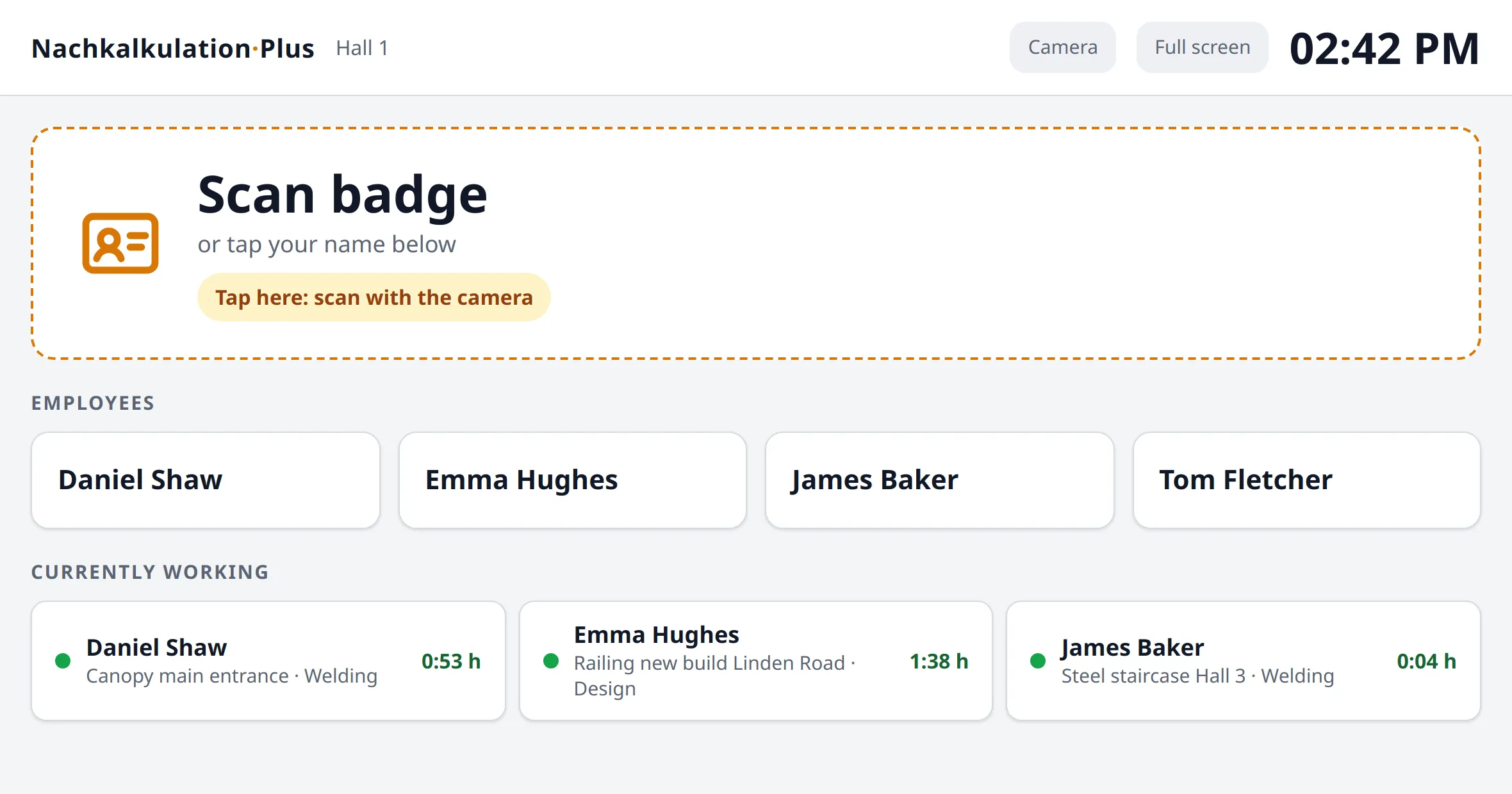
Scan the ID badge, scan the job sheet, choose the task. That works on a shared tablet in the workshop or on a phone on site, with no training. The times go straight into ERPNext’s timesheets; the office only checks and posts them.
Earn more
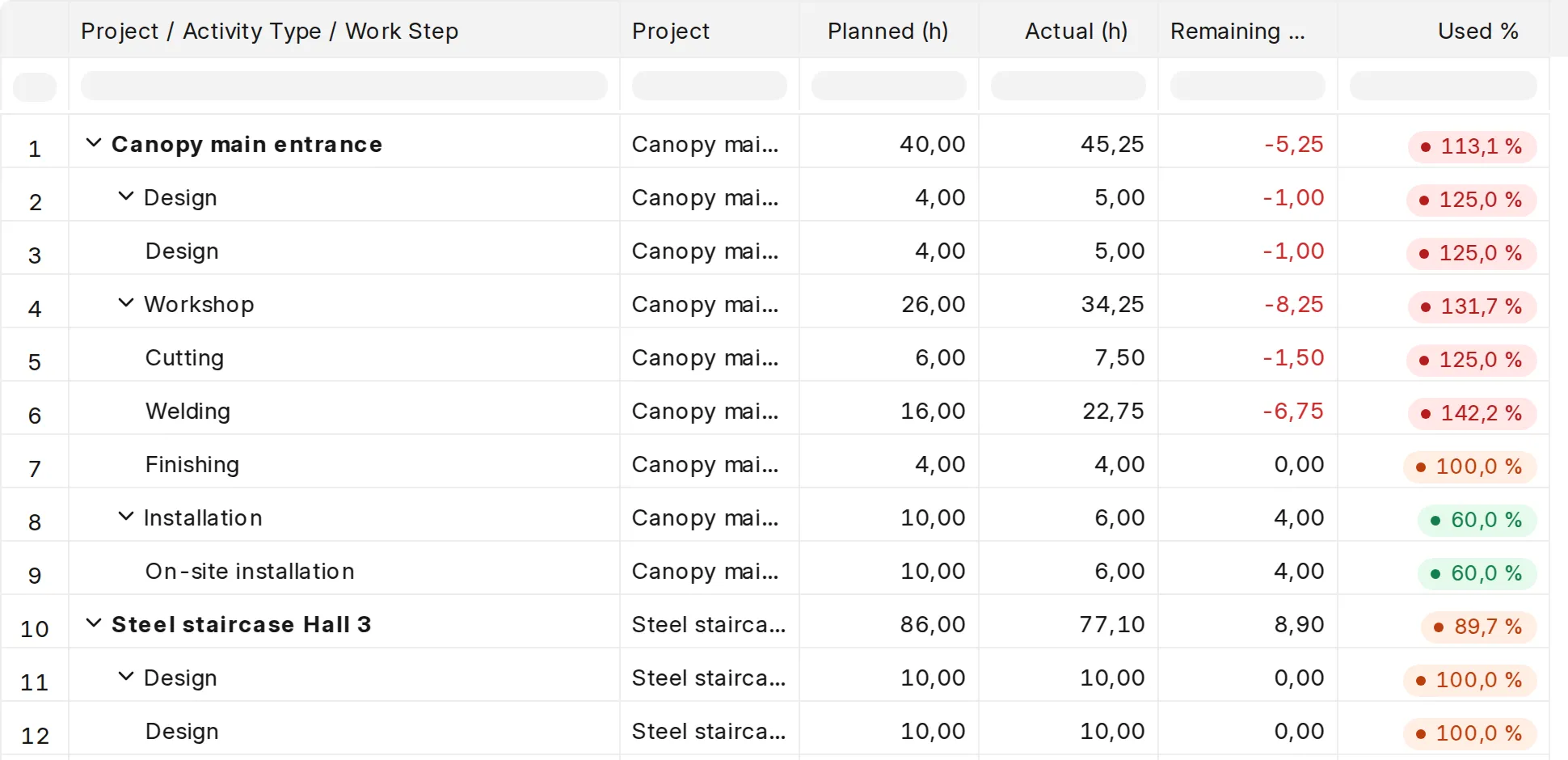
You estimate the hours per work step. On each project you see live how much has been used, and the report shows every open job down to the single step. From the times and your cost rates, ERPNext calculates the labour cost per project.
The roadmap
Not a project that drags on for months. You see progress every week.
While we are still on the call, you get access to our customer portal. There you fill in the questionnaires: company details, employee list and roles.
60 minutes live: we agree on processes, tasks and the layout of your job sheet. You get access to the video academy. This is where the 30 days start.
The first job sheet with your layout and barcode is ready as a PDF for your feedback.
We hand over your configured ERPNext with user accounts, permission groups and print layouts.
Joint go-live session: your team gets the app on their phones, and the first employee clocks onto a job live.
The first job costing for a real project is in your dashboard.
Feedback call after six weeks, review call after twelve. Whatever is not yet running smoothly, we improve.
What is included
We set up the system for you; you provide the details about your business. Setup is a one-off fixed price; hosting, updates and the customer portal are a fixed monthly fee. We give you the figures on the call.
Our promise
The time clock app is built so that your employees can use it without training. If someone still struggles with it after the rollout is complete, we keep supporting you free of charge until they are comfortable with it.
The promise covers your employees’ use of the app.

Who is behind it
Til Wiggers · Founder of openBlueprint, software developer
I am Til Wiggers, founder of openBlueprint. We build business systems on open source for manufacturing and the trades, systems you own and that fit the way you work. I use ERPNext, Frappe CRM and Frappe Learning myself every day.
What comes next?
Job costing runs on ERPNext, a complete ERP, meaning the central software for orders, stock and accounting. If you want, your system grows with you. But you do not have to.
Quotes, purchasing, stock and invoicing come in when you are ready. No big switchover project is needed.
Times, projects, materials and invoices work together. Nothing is maintained twice or reconciled between programs.
ERPNext is open source, so there are no per-user licence fees for the ERP. Your recorded times sit in ERPNext’s standard timesheets.
Frequently asked questions
Before the start, you fill in questionnaires on company details, employees and roles in the customer portal. After that, we mainly need you for the kick-off (60 minutes), your feedback on the job sheet draft and the go-live. We take care of the setup in the system.
No. We set up ERPNext for you within the 30 days. For job costing, projects, employees and timesheets are all you need. Purchasing, stock or accounting can follow later, but they do not have to.
Yes. At the shared tablet in the workshop, everyone signs in with their ID badge or taps their name. Only those who should work with a personal account need their own phone.
Clocking continues. The device stores every scan with its time and sends it as soon as there is a connection again.
No. The camera of a phone or tablet reads the codes. If you want to scan faster, you can connect a standard hand scanner. You print the ID badges and job sheets yourself.
That is not what it is built for. Nachkalkulation Plus records how long people worked on which job. Start and end of work, breaks and holidays belong in a working-time system. Please check with your accountant or trade association which records your business needs.
Hosting, updates and the customer portal continue for the monthly fee. In the review call after twelve weeks, we look at the results together and at whether another area makes sense next, and which one.
Setup is a one-off fixed price; hosting, updates and the customer portal are a fixed monthly fee. We give you the figures in a 15-minute call, together with an honest view on whether job costing suits your business.
No-obligation call
We look together at how you record and estimate times today. Afterwards you know whether job costing suits your business and what it costs. Free, without obligation and without preparation.